Deposit Slip
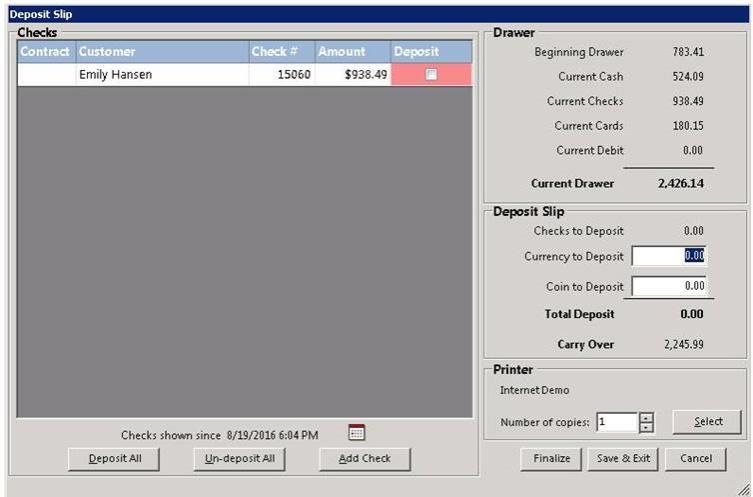
Overview: There are times when you might take in large sums of cash or checks, you do not want to keep in your cash draw. You do not have to wait until the End of Day to deposit. You can create a deposit slip and take to the bank.
Go to Program Menu, Counter Systems, Tools

Select Deposit Slip. You would create the deposit slip the same way you would do at the End of Day.
To reprint your deposit slip, go to Program Menu>>Accounting Reports>>Report Bank Deposit Slip.

To see how to add bank account numbers to the deposit slip click Reprint Bank Deposit Slip